How to add a new account
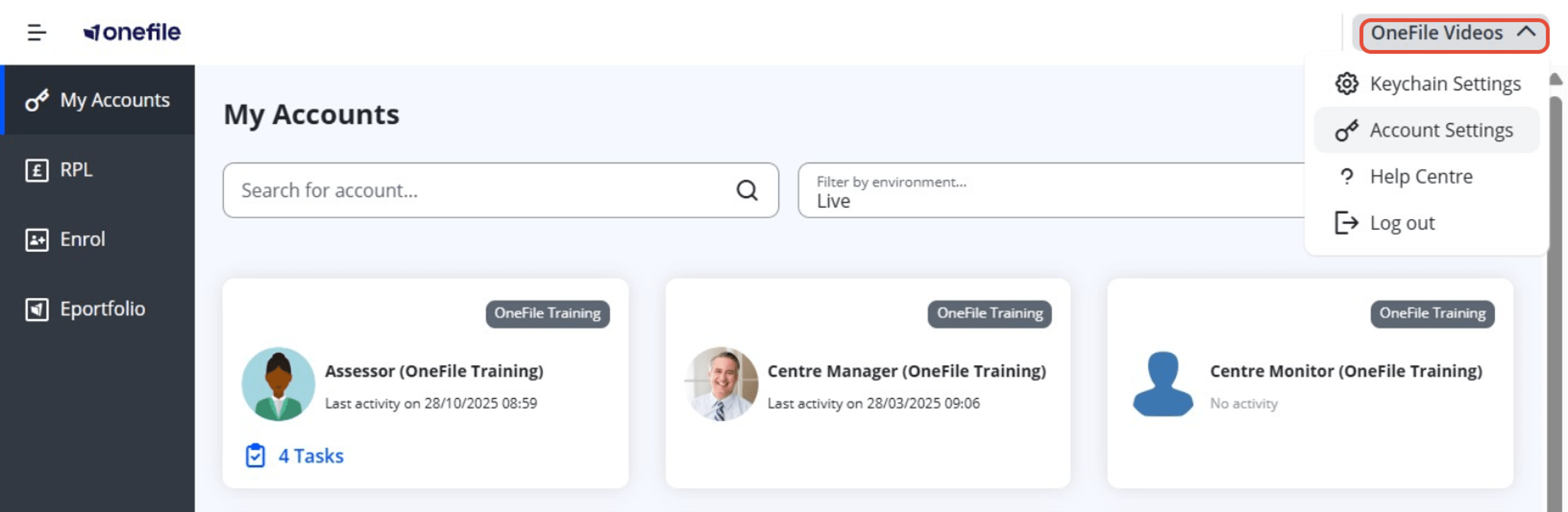
Log in to your OneFile account and click on your name in the top-right corner of the screen. Select ‘Account Settings’ from the dropdown menu.
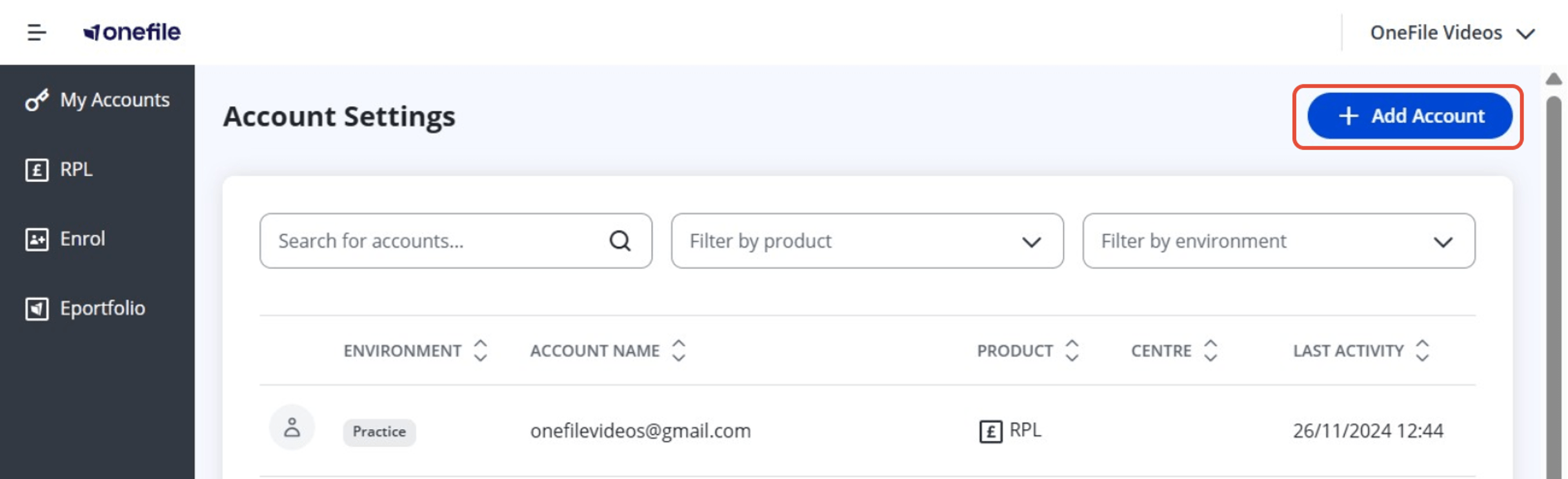
Click on ‘Add Account’.
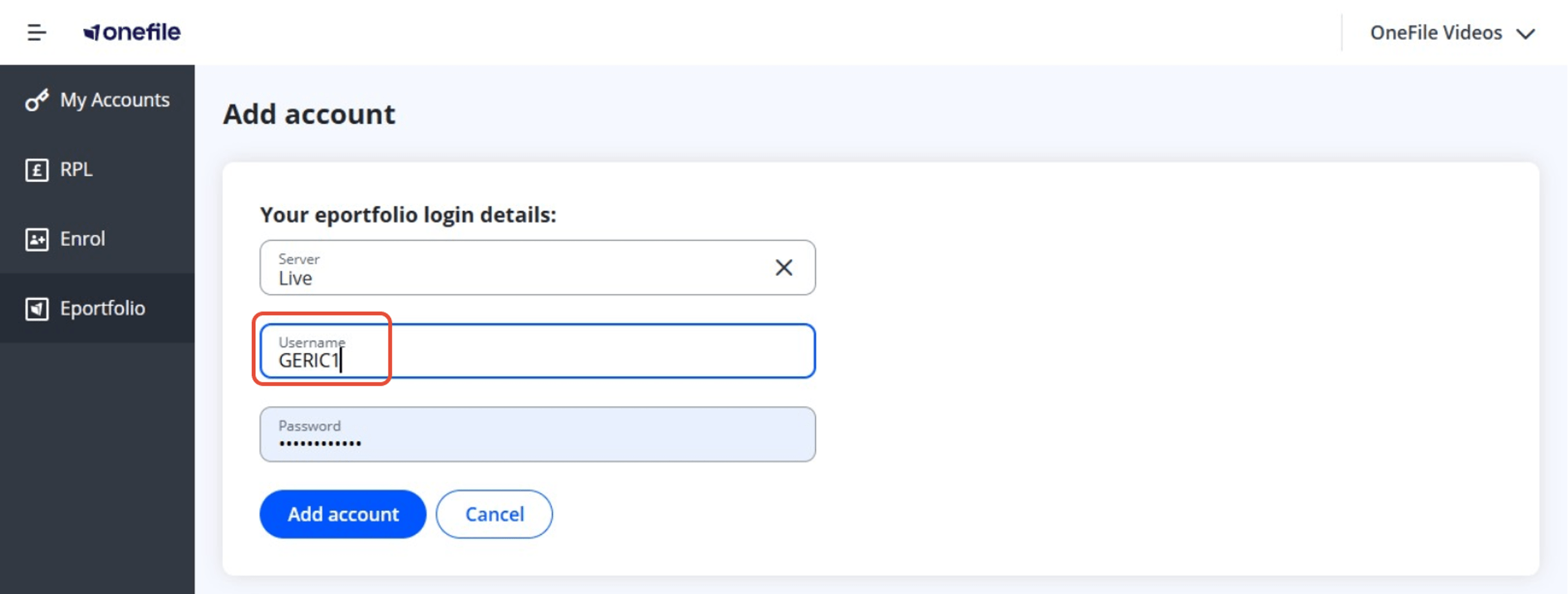
Enter the username of the account. Your username is usually your first initial followed by your surname and a number, for example AEXAMPLE2. Your username is provided by the school when you are issued with your OneFile account.
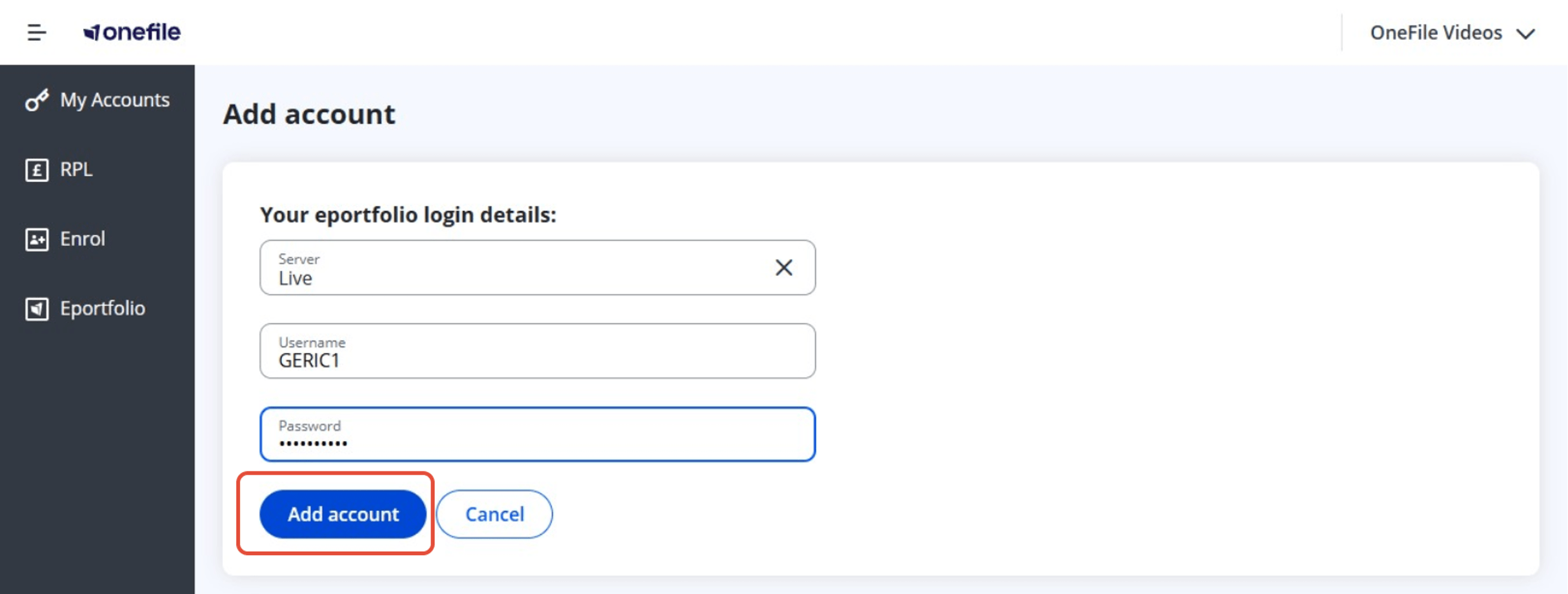
Enter or paste the password for the account. Next click on ‘Add Account’.
Adding multiple accounts
You can repeat these steps for each account you want to add, as long as you know the username and password.
If you’ve forgotten the login details for any account, you’ll need to reset your password before proceeding.